02 joblet.ai - joveo
Joblet.ai is an AI-powered job search and hiring platform redesigned from scratch to move the needle on user engagement and brand authority — for both job seekers and employers.
problem statement
The existing site had the right intentions. Job listings, AI features, employer tools, a content section. But the design was working against itself — too many competing priorities on the same screen, no clear point of view, and an interface that felt indifferent to how stressful job searching actually is.
Hiring is one of the highest-stakes interactions a person goes through.
The design wasn't treating it that way.
process overview
The redesign followed the Design Thinking framework — starting with a genuine understanding of the people using job platforms and why the experience consistently fails them, before a single screen was touched.

existing website
/ what wasn't working
Before jumping into the redesign, I spent time with the existing site — understanding what it was trying to do and where the experience was breaking down for the people using it.
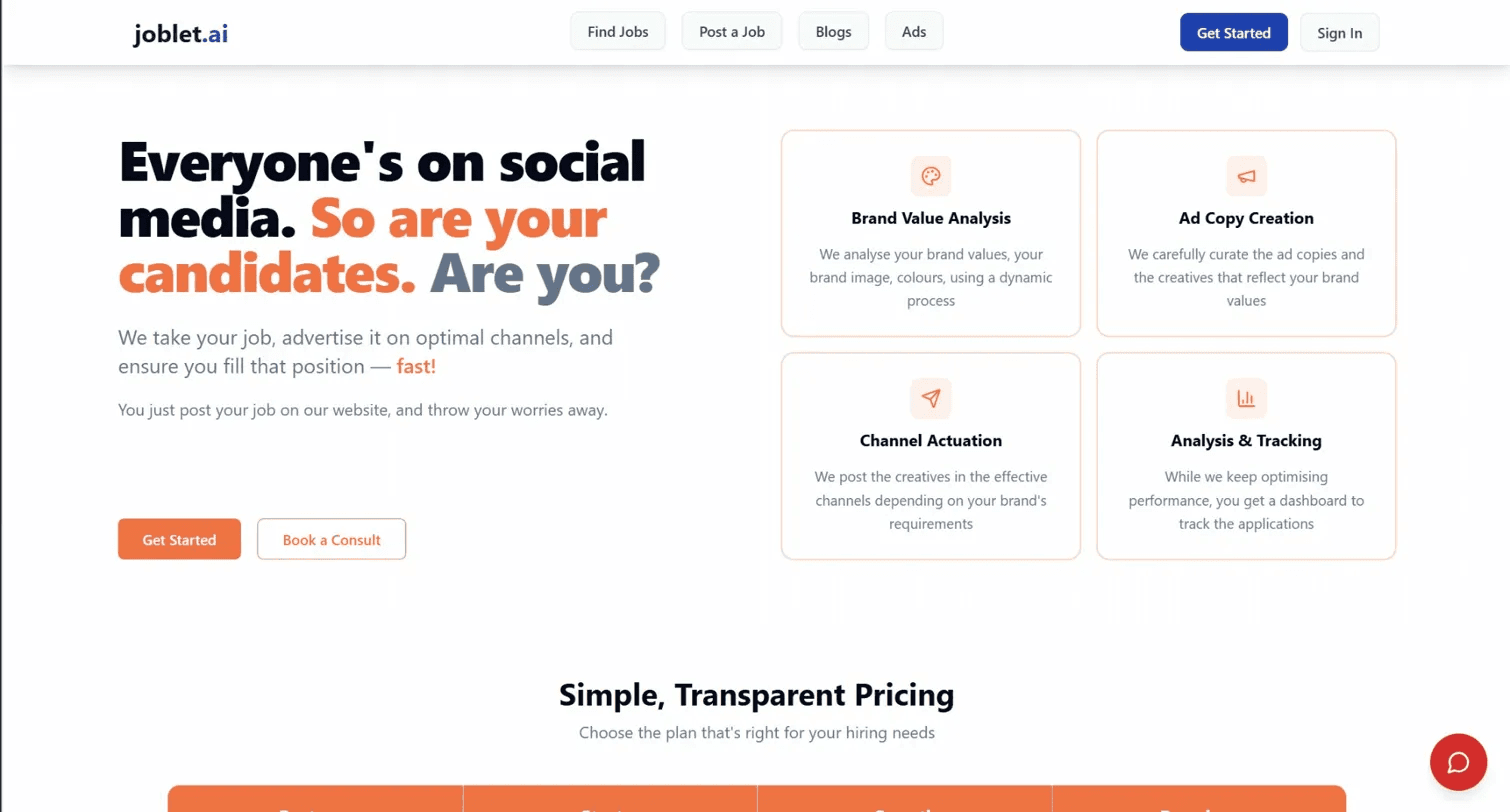
The site had clearly been built to do a lot: list jobs, pitch AI features, serve employers, host content, and advertise.
The intent was comprehensive. But the accumulation of features without a unifying design system had made it harder for users to find what they needed — or to feel like the product understood what they were there for.
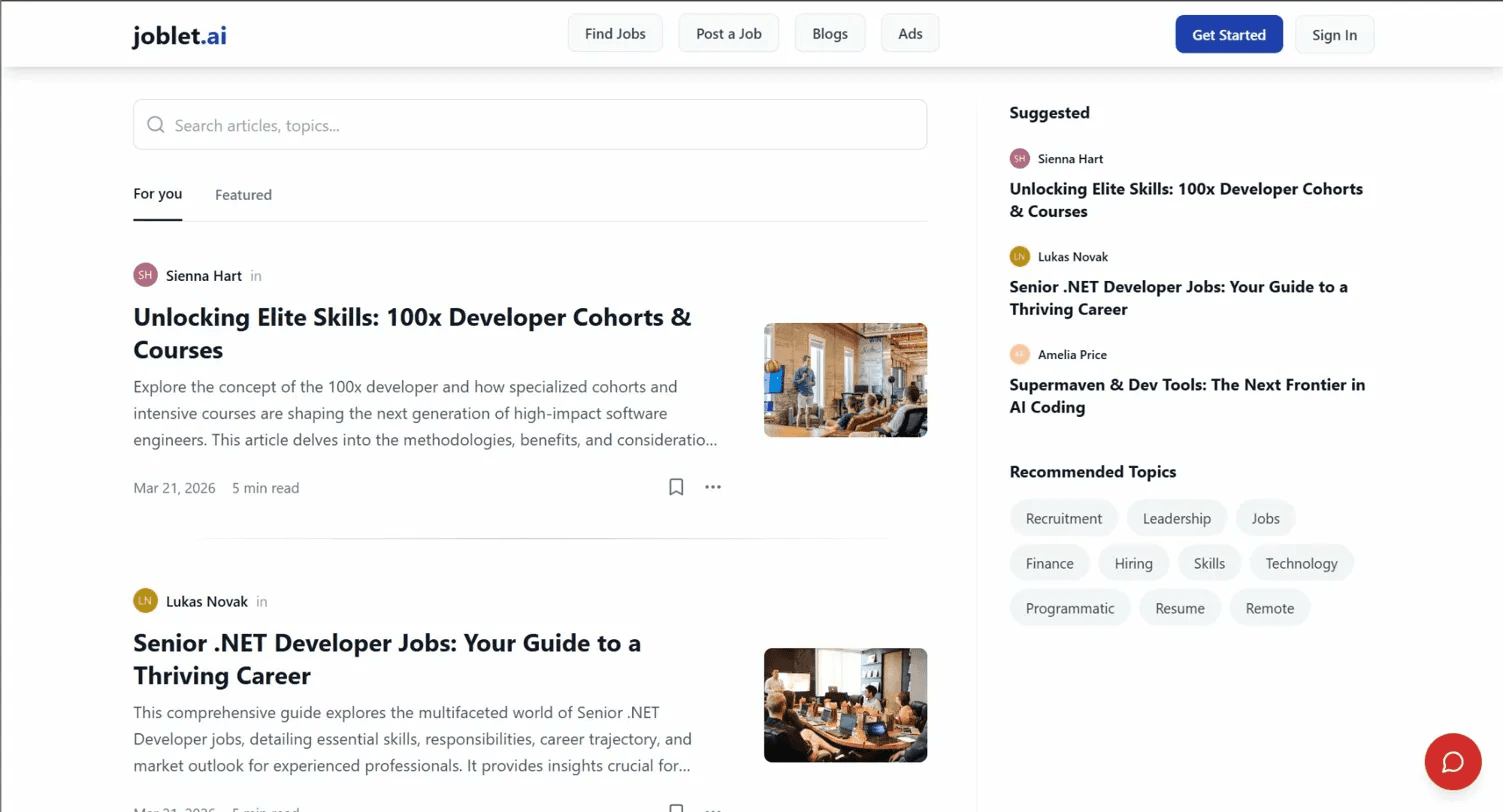
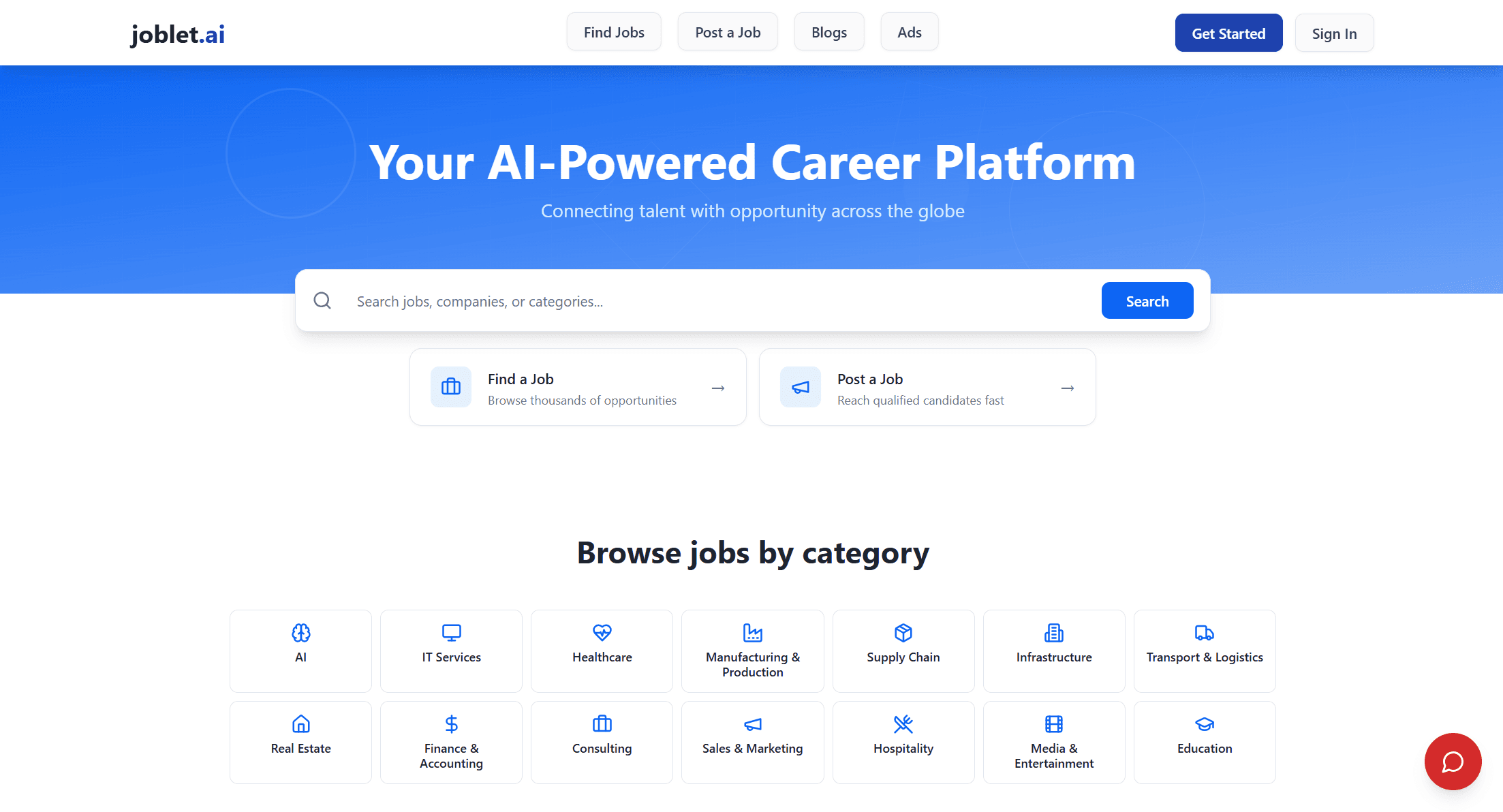
Hero and value proposition
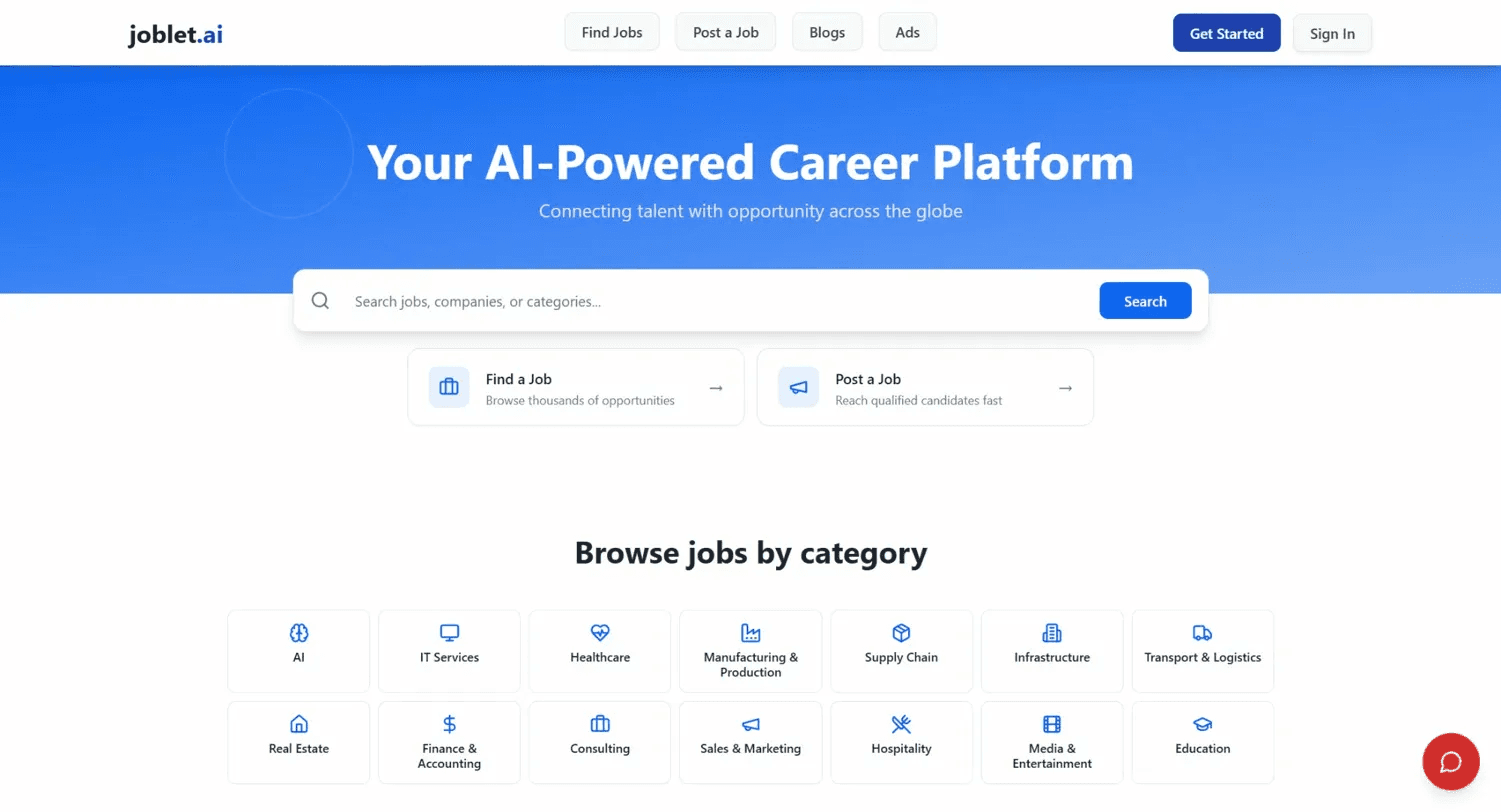
"Your AI-Powered Career Platform" is the default headline for every job board launched in the last three years. Nothing on the page gave a first-time visitor a reason to stay — no specific promise, no proof, no hook. The gradient hero cutting into white content made the page feel like two different products placed next to each other.
Information architecture
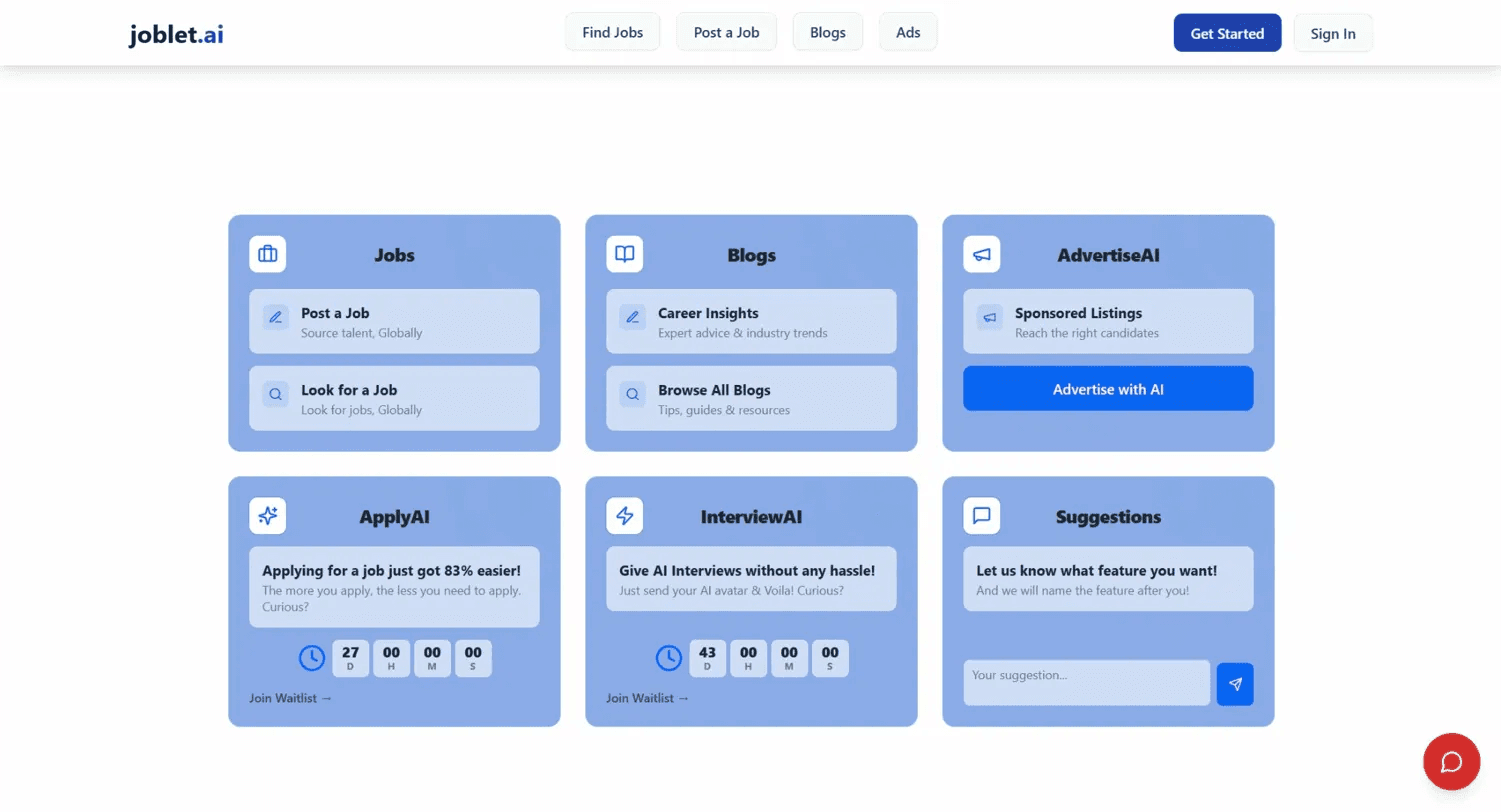
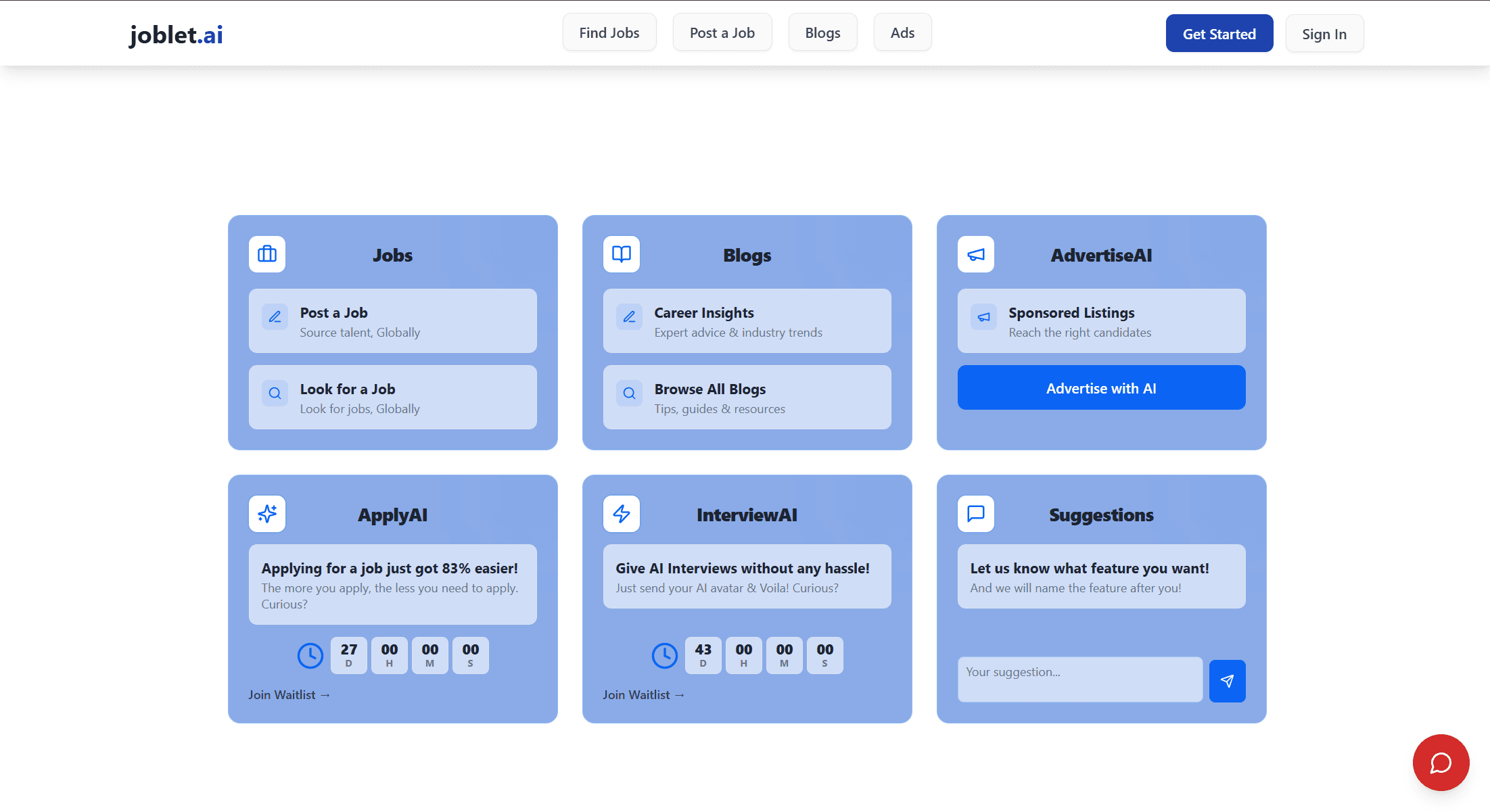
ApplyAI, InterviewAI, AdvertiseAI, Blogs, and a suggestion box all appeared above the fold before the user had encountered a single job listing. The page was pitching the product before it had earned the right to.
AI features
Countdown timers on features that weren't live yet were the most damaging UX decision on the site. The features had real potential. The presentation undermined them completely.
Search
A single search bar, no filters, no context. For a platform positioning itself around intelligent matching, the search experience felt like it had nothing behind it.
Brand
No consistent visual system. Typography without hierarchy, color without intention. The product had no identity to hold onto.
The core opportunity — Job search is one of the most emotionally loaded experiences a person goes through. A platform that positions itself around AI-powered matching has a real chance to make that experience feel less like sending applications into a void and more like having something working on your behalf. The redesign's central goal was to build something that felt worthy of that.
user research
Rather than building personas, the research focused on what the data already showed about how people experience job search — and what that means for design decisions.
58% of applicants believe fewer than 25% of their applications reach a human recruiter. The implication: the platform needs to feel like it's working for the user, not just aggregating listings.
60% of job seekers abandon applications when the process feels too complex. Every additional step, every unnecessary field, every piece of friction has a measurable cost.
Prolonged job searching correlates with a 34% increase in depression risk. This is not a neutral product. The emotional register of the design matters.
On the employer side, 76% of recruiters say finding qualified candidates is their biggest challenge.
Volume isn't the problem. Signal is. These four numbers shaped every design decision that followed.
design direction
The central idea came directly from the research: job search is high-stakes and the design should reflect that — without making it heavier than it already is.
Calm, considered, and trustworthy.
Typographically, Cormorant Garamond for display headlines brought warmth and editorial confidence. IBM Plex Mono for labels, metadata, and body leaned into the AI angle without performing it.
The blue brand color was dropped entirely. Warm amber for seeker mode, teal for employer mode — the same product, two distinct emotional registers, one coherent system.
Every screen asked the same question: does this feel like something built by people who understand what's at stake?
home page - hero
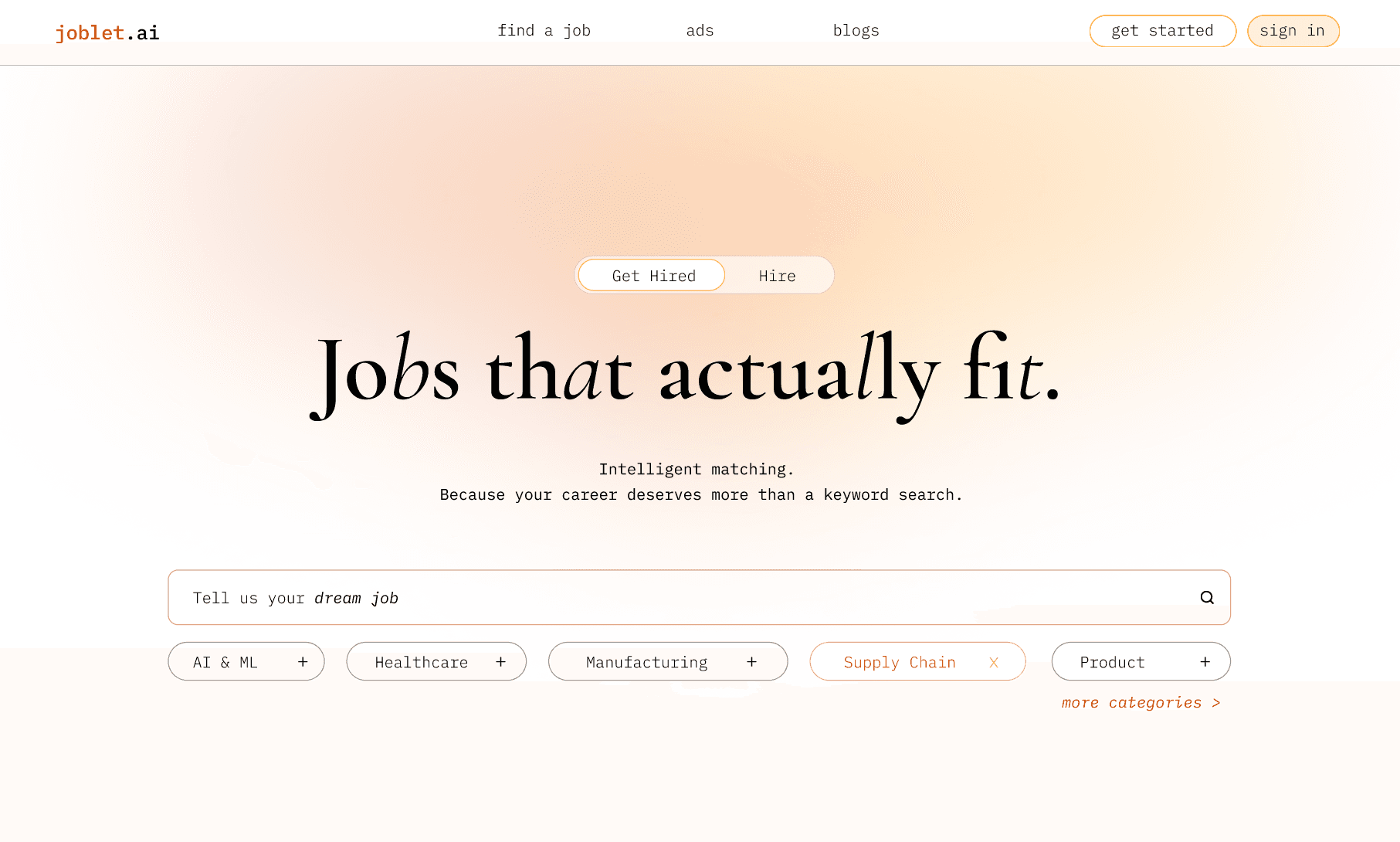
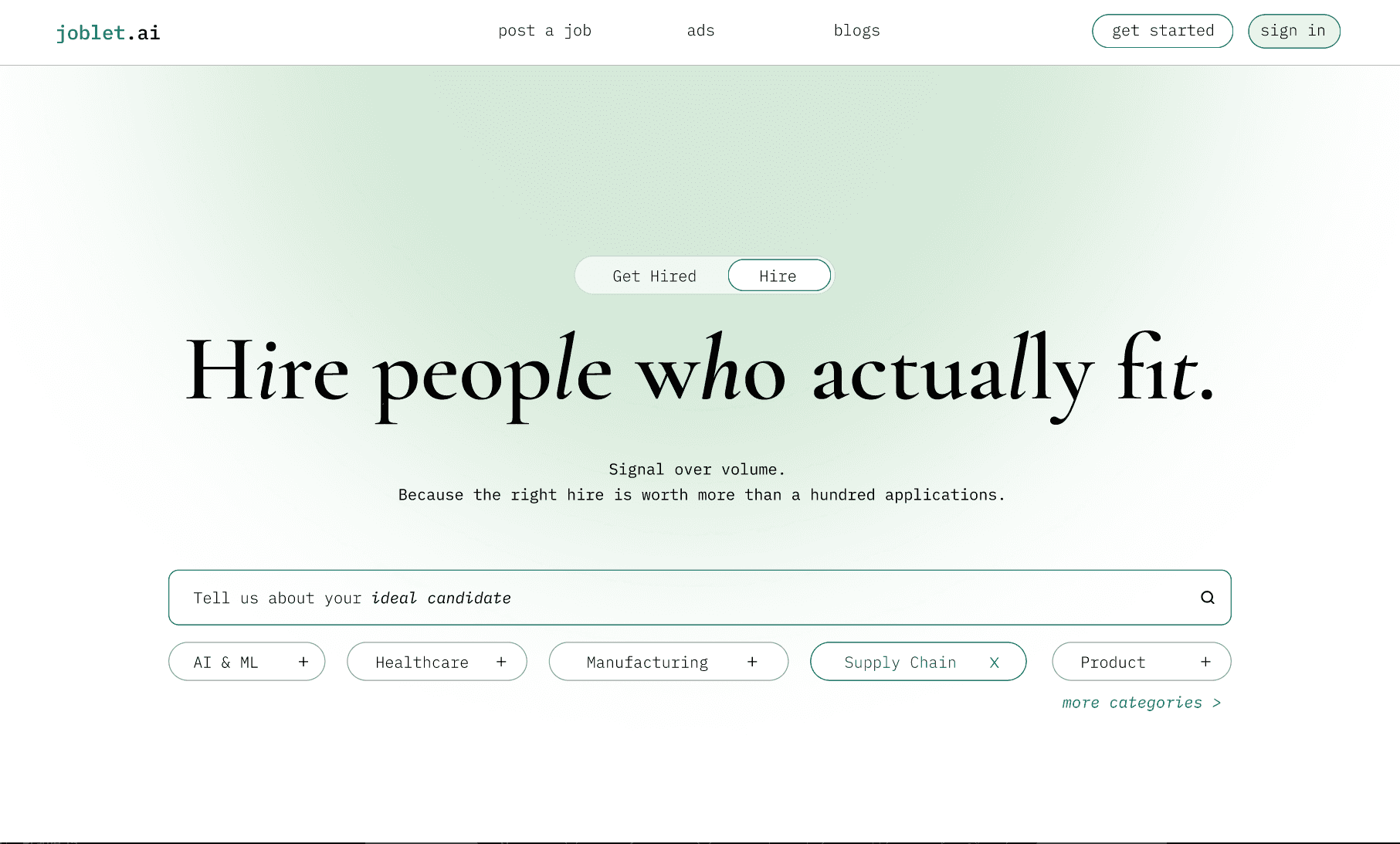
The hero was rebuilt around a single clear promise for each audience. Seeker mode and Employer mode.
A mode toggle at the top of the hero switches between the two — changing the headline, the subhead, the search context, and the ambient glow color.
The search bar became active rather than passive. Category pills sit directly below it as quick filters — browse or search from the same point of interaction.
social proof
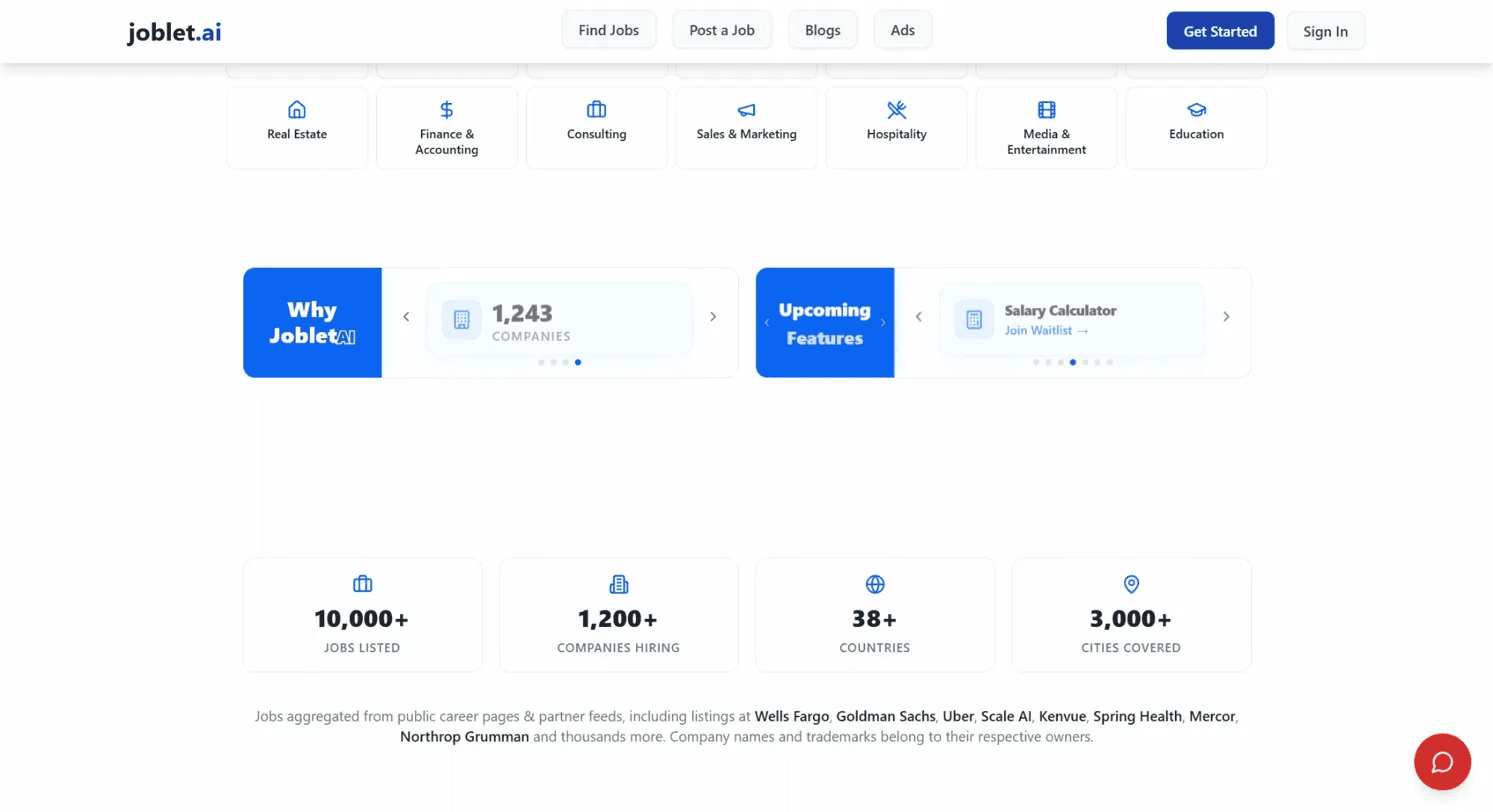
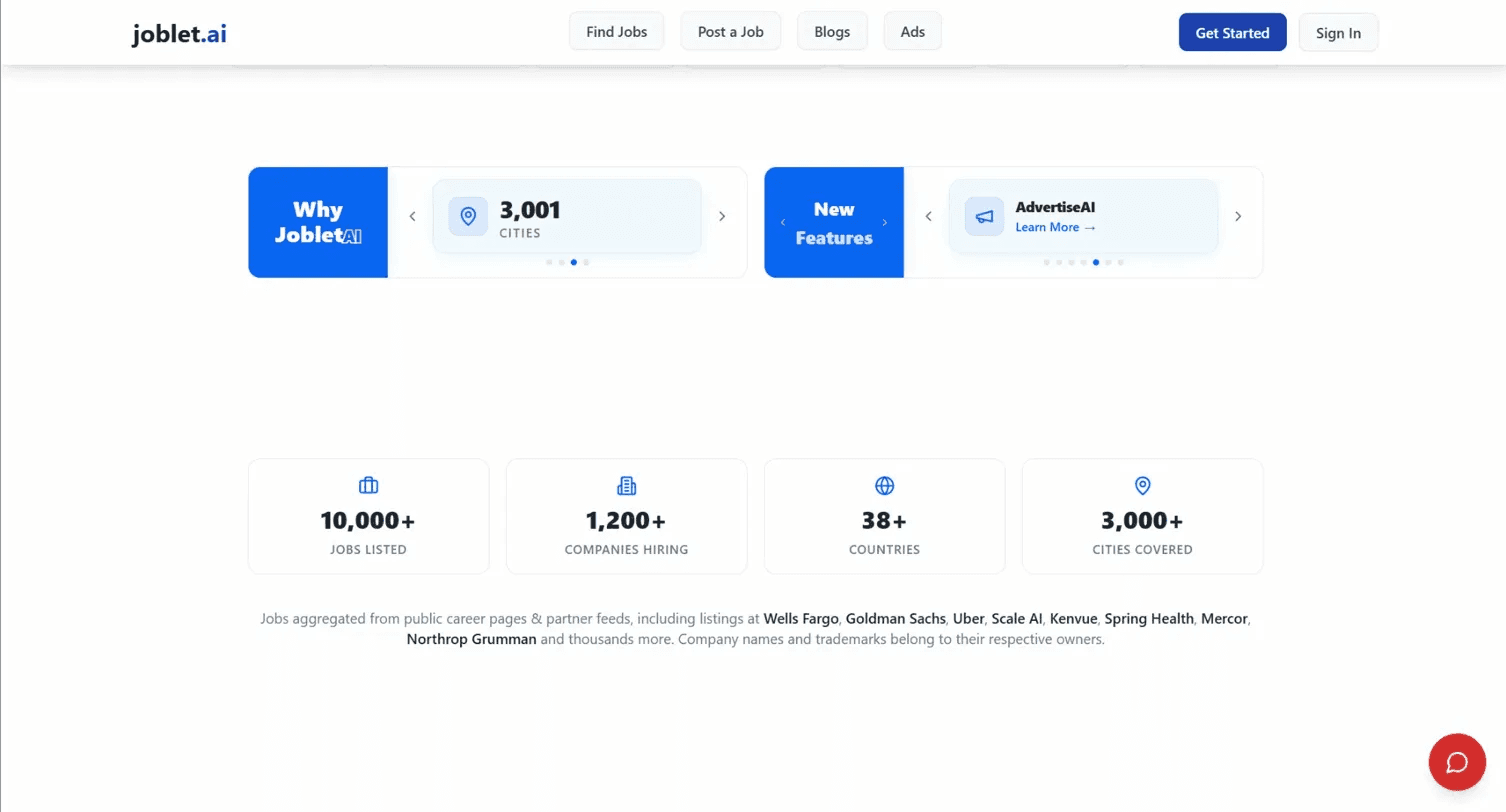
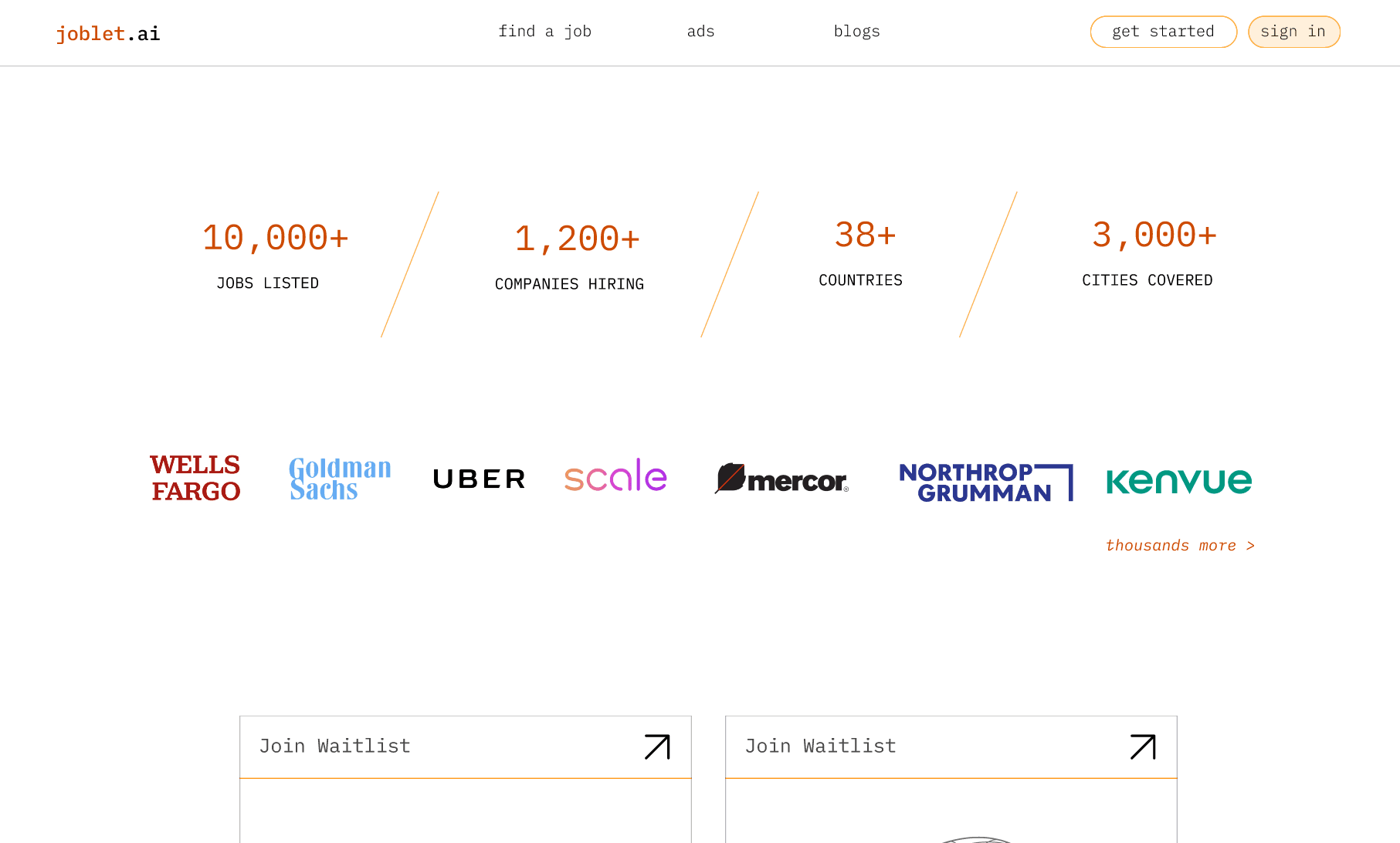
The stats were there — 10,000+ jobs, 1,200+ companies, 38 countries, 3,000+ cities — but sitting in individual bordered cards with icons above each number, they felt like a feature list rather than a confidence signal.
The carousel above them added noise right before the numbers landed. The redesign strips it back to just the figures, separated by thin dividers, with the company logos sitting directly below. Same information, significantly more impact.
features
ApplyAI and InterviewAI had real potential on the existing site. The presentation was the problem — countdown timers, waitlist language, and feature descriptions that hedged more than they committed.
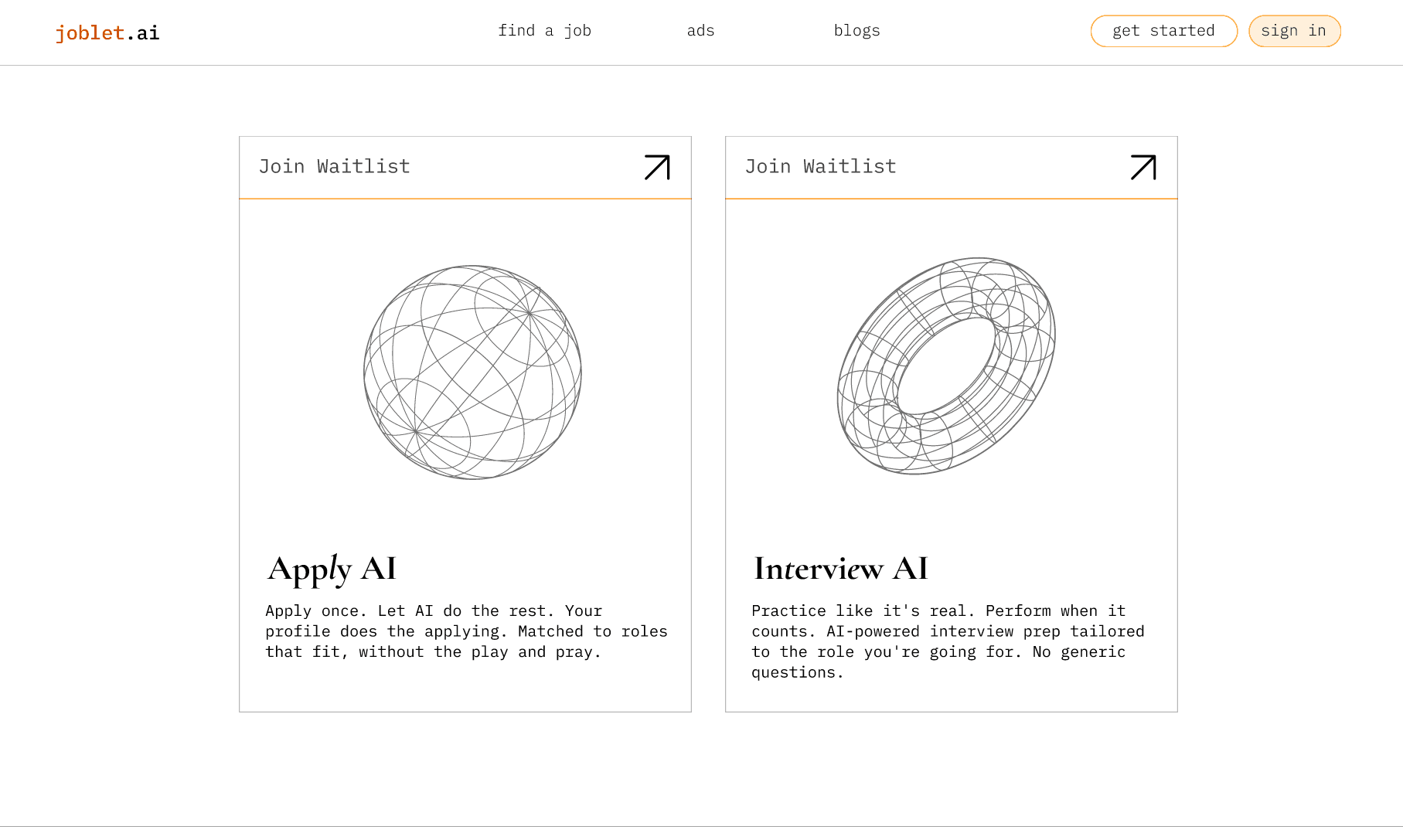
The redesign treats them as tools that exist now, not features arriving later. Two focused cards, each with a wireframe 3D illustration, a single clear promise, and one CTA. The visual language ties directly back to the homepage. The copy drops the hedging entirely.
jobs page
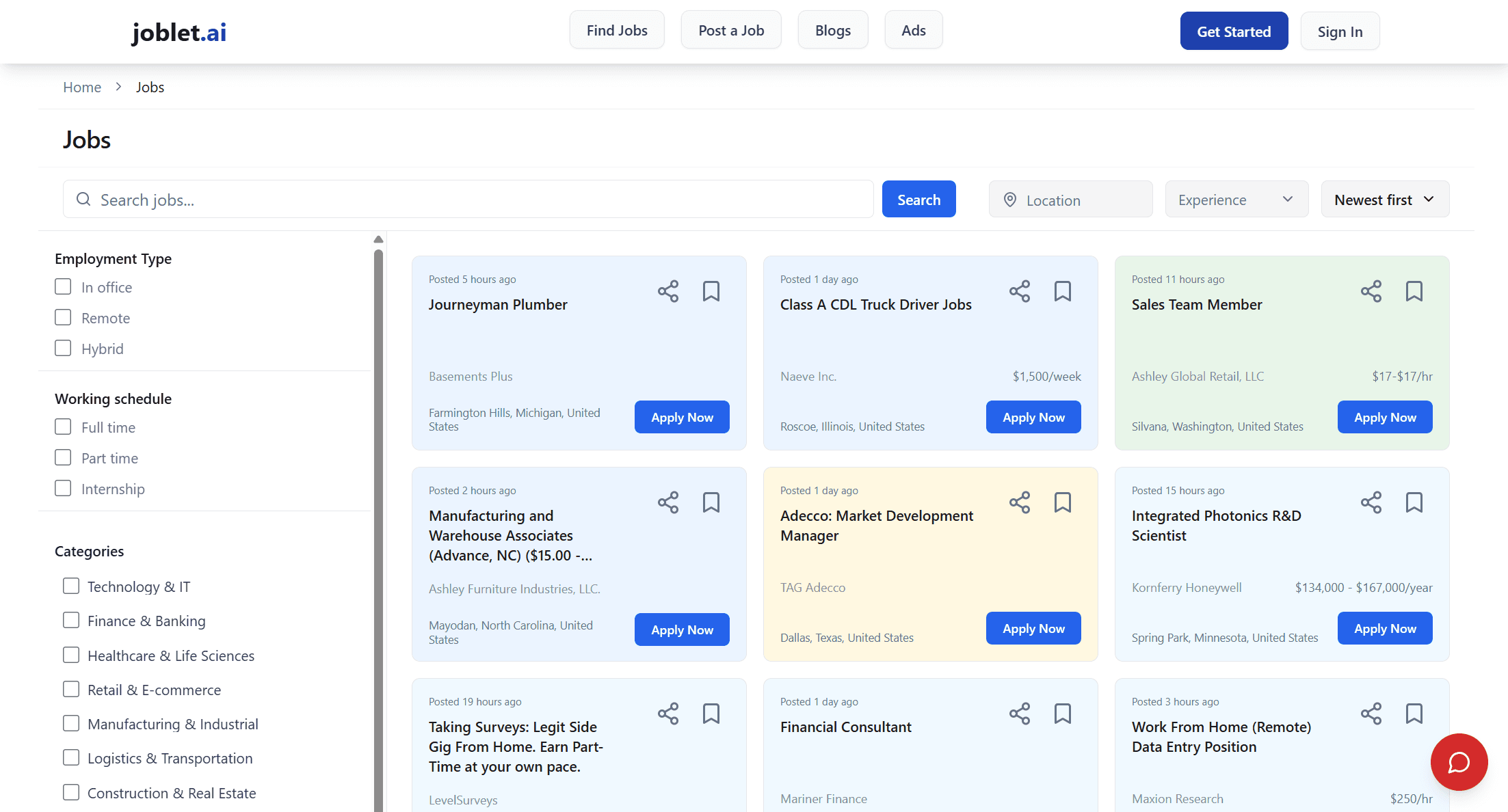
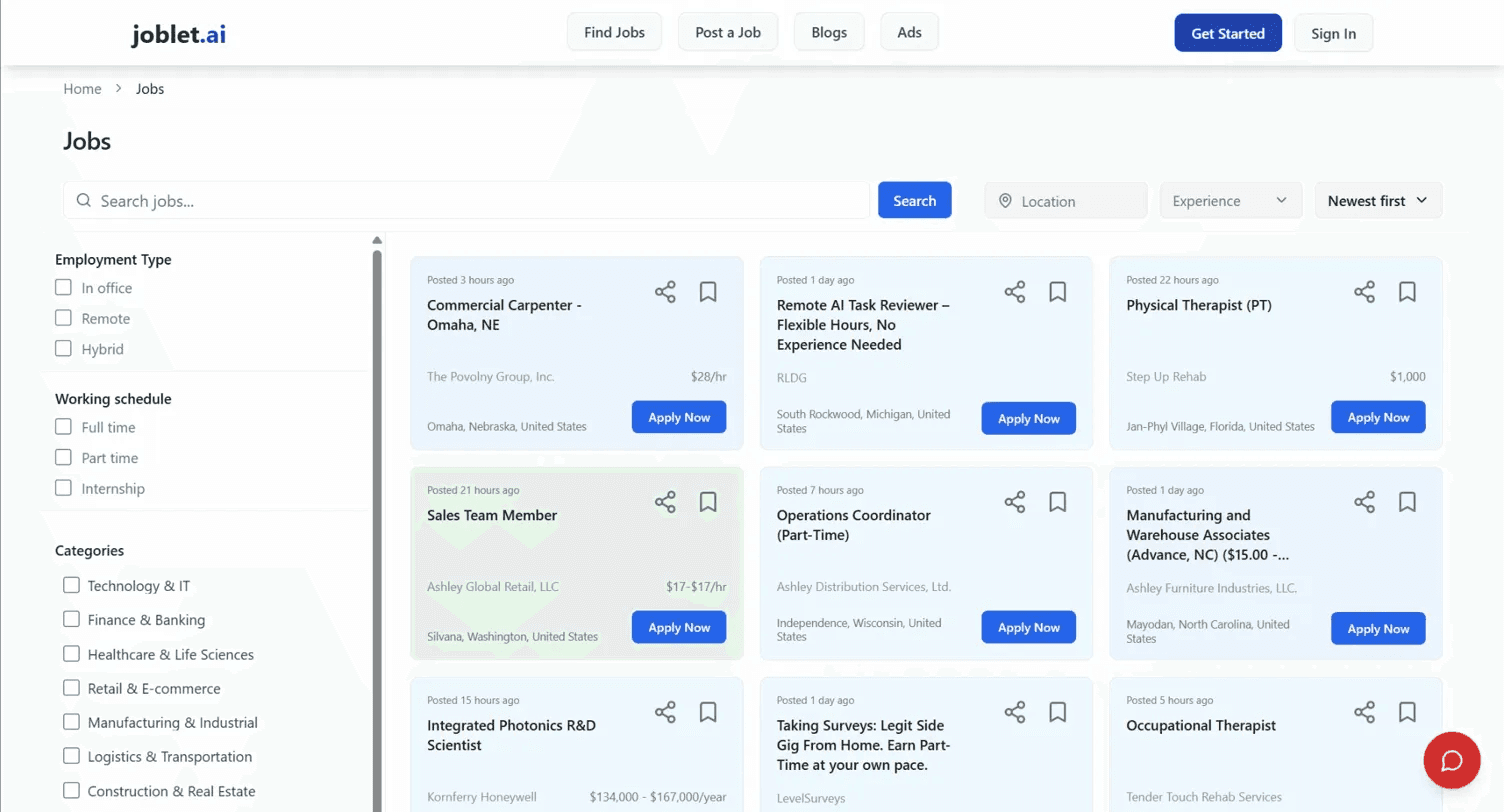
The grid layout is wrong for the use case. Three columns of job cards forces horizontal scanning. Job listings are text-heavy decisions, not visual products. Users have to jump left to right to compare — that's the wrong reading pattern for evaluation. A card grid works for Airbnb because a photo makes the decision. Here the title, company, and salary make the decision, and those get lost in the grid.
The left sidebar filter is disconnected from the content. Filters and results are spatially separated. Research consistently shows filter engagement drops when filters aren't near the content they affect. The sidebar also takes up significant horizontal real estate on a page that needs width for the actual jobs.
No job detail without leaving the page. Clicking "Apply Now" presumably takes you to a new page or external link. There's no preview. Every evaluation requires a full page load, which kills the scanning rhythm.
The card hierarchy is flat. Job title, company, location, salary, apply button — all weighted similarly. The eye doesn't know where to go first. Title should dominate, everything else supports.
Random colored card highlights. Some cards have green, yellow, blue tinted backgrounds. There's no legend, no explanation. It reads as visual noise.
"Apply Now" as the primary CTA is premature. Most users at this stage are evaluating, not ready to apply. The CTA should match the mental model — "View Role" or similar, not a commitment button on a browse page.
The search bar has no connection to what's shown. No result count, no active filters displayed, no sense of what's been searched.
The existing results page used a three-column card grid — the same layout pattern used for e-commerce and accommodation platforms. For job search, it's the wrong choice. Listings are text-heavy decisions, not visual ones. A grid forces horizontal scanning across cards that all look identical, with no hierarchy telling the user where to look first.
Filters lived in a left sidebar, spatially separated from the content they were meant to refine. The colored card highlights had no explanation. Clicking any listing took you off the page entirely — there was no way to preview a role without losing your place in the list.
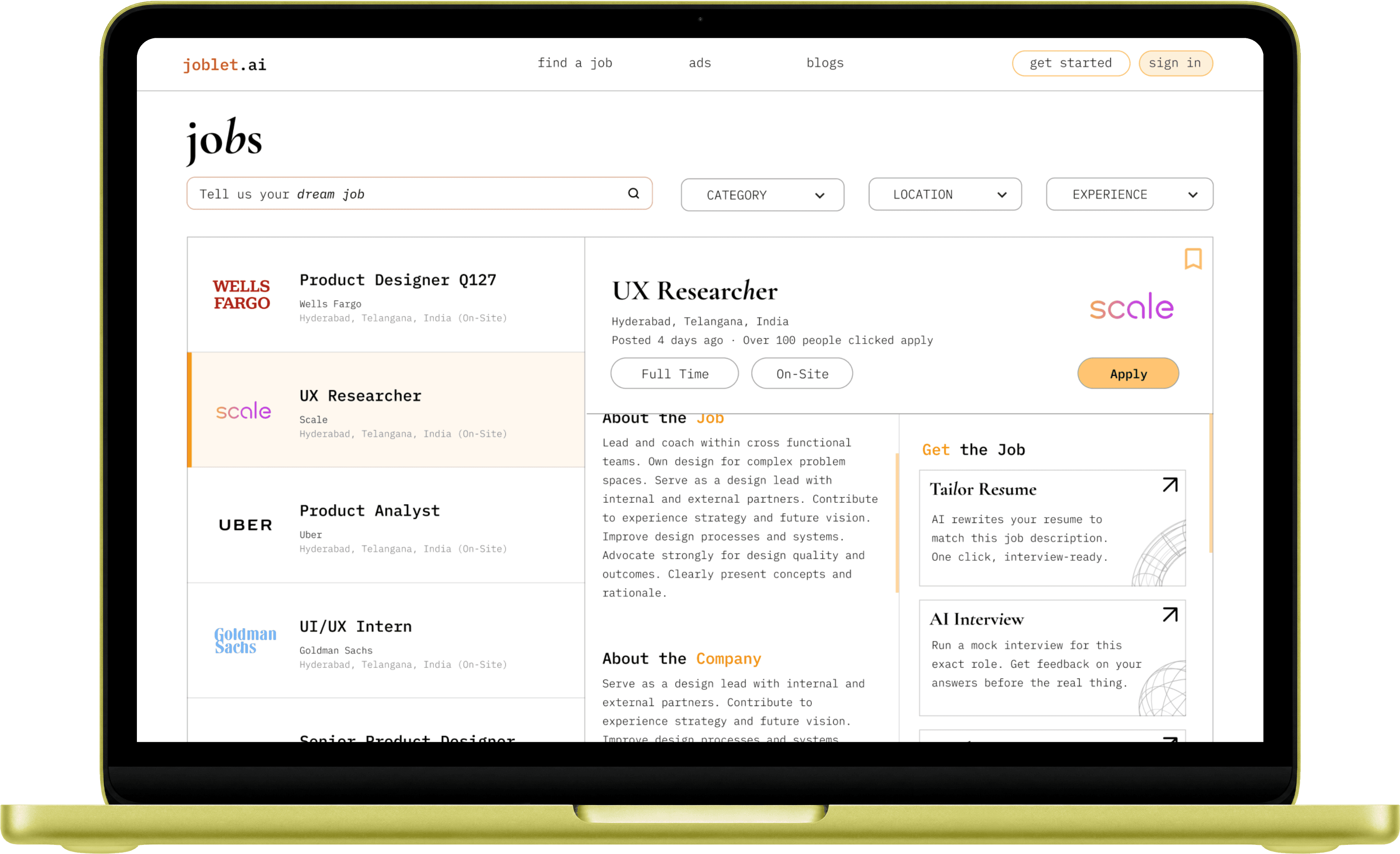
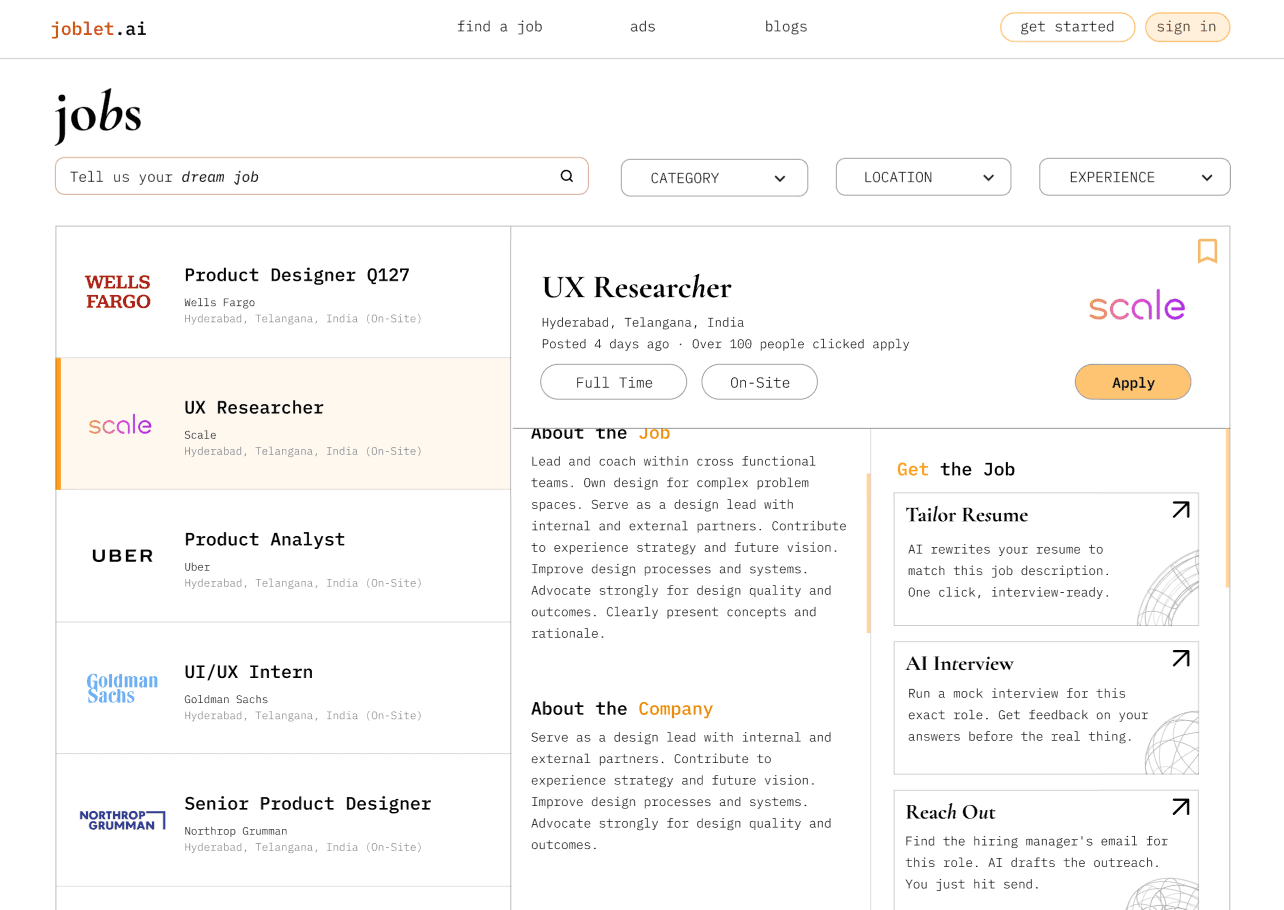
The redesign addresses all of this with a 40/60 split screen. The list stays visible on the left while the detail panel opens on the right — users can scan and evaluate without a single page load. Filters move inline above the list as chips, close to the content they affect. The active card gets an amber left border as a visual anchor between the two panels.
The detail panel goes further than a job description. A "Get the Job" column sits alongside the role — Resume Tailor, AI Interview, and Reach Out. Three tools that take a user from reading about a job to actively pursuing it, without leaving the screen.
what i'd do next
This was a redesign without access to live user data or the ability to test with real job seekers. The design has a clear point of view. Whether it's the right one is a question worth testing.
Metrics I'd track:
— Search-to-apply conversion rate
— Toggle engagement between seeker and employer modes
— Time spent on the job detail panel
— Click-through rate on the Get the Job actions
Usability testing priorities:
The mode toggle — does a first-time visitor understand what it does without instruction, or does it read as decorative?
The split screen — does keeping the list visible while reading a job detail actually reduce friction, or does the divided attention create its own cognitive load?
The Get the Job column — does it feel like a natural extension of the job detail, or does it pull focus away from the role itself at the wrong moment?
The AI Interview interface is the feature with the most design work still ahead of it. Designing for an experience that is inherently anxious — being evaluated, in real time, by something you can't read — requires a level of emotional consideration that goes beyond layout. That's the next problem worth sitting with.
-
a
a
y
n
a
n